



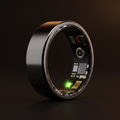






Smart ring battery life: how to charge and care for titanium
How long a smart ring battery lasts, brand by brand, how to charge it so the battery stays healthy for years, and how to clean and look after a titanium ring.

In this article
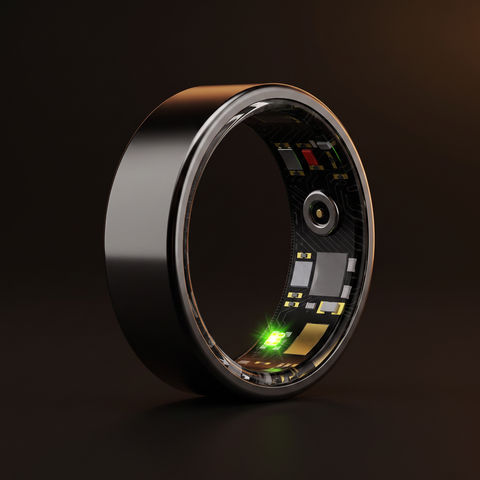
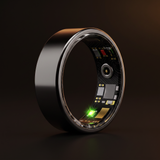
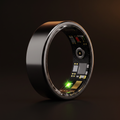
Smart ring battery life is usually around a week per charge. Brand claims run from about 4 days to 10 days. PulseRing Pro lasts up to 7 days and charges from flat to full in about 90 minutes. To keep the battery healthy for years, top it up before it runs flat. Keep it away from heat while charging.
This guide covers how long a smart ring battery lasts, what drains it faster and a simple charging routine. It also covers how to clean and care for a titanium ring.
Key takeaways
- Most smart rings last about a week per charge. PulseRing Pro gives up to 7 days, and a full charge takes about 90 minutes.
- Rechargeable batteries age faster when they are run flat, kept full in the heat, or charged somewhere hot.
- A regular weekly top-up is easier, and gentler on the battery, than waiting for a low-battery warning.
- Clean the ring with mild soap and water, and dry under it. Trapped soap and sweat, not the metal, cause most ring rashes.
- When a ring reaches the end of its life, recycle it. Batteries in household bins can cause fires.
How long does a smart ring battery last?
There are two questions hiding in that search. The first is how long one charge lasts. The second is how many years the battery keeps going before it holds noticeably less.
Battery life per charge
Most current smart rings are rated at around a week. These are the brands' own claims, checked on their websites in October 2026.
| Ring | Battery claim per charge |
|---|---|
| PulseRing Pro | Up to 7 days |
| Oura Ring 5 | 6 days to 9 days, depending on ring size and usage |
| Samsung Galaxy Ring | Up to 7 days (sizes 12 and 13), up to 6 days (smaller sizes) |
| RingConn Gen 2 Air | Up to 10 days |
| Ultrahuman Ring AIR | 4 days to 6 days |
| Amazfit Helio Ring | Up to 4 days in typical use |
Sources: Oura, Samsung, RingConn, Ultrahuman and Amazfit.
"Up to" matters. Every brand's figure is a best case. Real battery life depends on how often the sensors take readings and how much you exercise. How often your phone syncs, and the temperature around you, play a part too.
Battery lifespan over the years
All rechargeable batteries slowly lose capacity as they age. You will not notice it in the first months. But a ring that lasted a full week when new will gradually need charging a little sooner. How fast that happens depends a lot on how the battery is treated, which is the part you control.
What drains a smart ring battery faster?
The same things that affect any small wearable:
- More frequent sensor readings: blood oxygen readings use a red light. The more often any sensor works, the more power it draws.
- Exercise: sessions where the ring tracks heart rate more intensively use more power than a quiet day at a desk.
- Syncing trouble: your phone may often be out of Bluetooth range, or the app closed. A wearable can then spend extra energy trying to reconnect.
- Cold: Apple's battery guidance notes that very cold conditions cause a temporary decrease in battery life. It recovers once the battery warms up. The same physics applies to other lithium-ion devices.
- Age: an older battery holds less charge, so each charge lasts a little less.
Fit can play a part too. A Galaxy Ring owner asked about battery drain on Samsung's UK product page. Samsung's support team replied that wearing the ring snugly gives better readings and less battery drain. Our smart ring sizing guide explains how to get the fit right.
How should you charge a smart ring?
Most phones and wearables use lithium-ion batteries. The general guidance for them comes down to avoiding three stresses: running flat, sitting full in the heat, and charging somewhere hot.
Battery University, a long-running technical reference on rechargeable batteries, puts it plainly. It advises you to avoid full discharges and charge more often. It notes that partial charges are fine. It says the worst situation is keeping a fully charged battery at high temperatures.
Apple's guidance adds some useful numbers. It gives 16°C to 22°C as the ideal ambient temperature range for its devices. It warns that ambient temperatures above 35°C can permanently damage battery capacity, and that charging in heat makes it worse.
A simple weekly charging routine
- Pick a fixed slot. Choose a time you are awake and at home, such as a weekday evening or Sunday morning. With about 90 minutes from flat to full, a top-up fits easily around a film or a meal.
- Charge before it runs flat. Do not wait for the warning. Topping up with charge still left is gentler on the battery than running it to zero.
- Wipe it first. Clean the inside of the ring and the charger contacts with a soft, dry cloth. That stops sweat and skin oils building up on either.
- Charge somewhere cool. A desk or shelf at room temperature is ideal. Avoid radiators, sunny windowsills and car dashboards.
- Put it back on promptly. The ring cannot record sleep or build your baseline from the charger. Charging while you are awake means you keep the overnight data your readiness score depends on.
If your routine is unpredictable, small and frequent top-ups work well too. Partial charging is not harmful for lithium-ion batteries.
Charging on the move
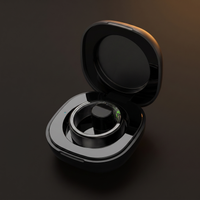
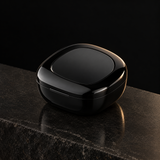
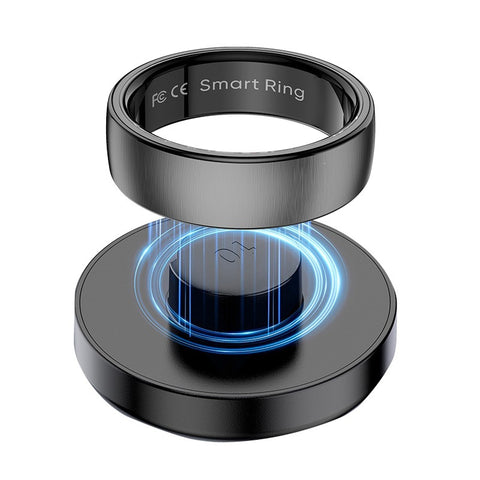
Travel, long weekends and night shifts are where charging routines fall apart. A charging case solves most of that. You can top up the ring from a bag or pocket instead of hunting for a plug.
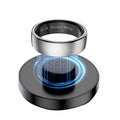
The PulseRing Pro Charging Case is a 200mAh USB-C case that docks and tops up your ring on the go. A trip away does not have to mean a gap in your sleep data. It costs £12.99, and it also comes in the Peak Starter Kit with the ring and protector.
Storing a ring you are not using
If you are putting the ring away for a few weeks, do not store it flat or full. Apple recommends storing devices at around 50 per cent charge for long periods. A battery stored empty can fall into a deep discharge state and stop holding charge. One stored full for a long time can lose capacity. Keep it somewhere cool and dry, and top it up every so often.
How do you clean a titanium smart ring?
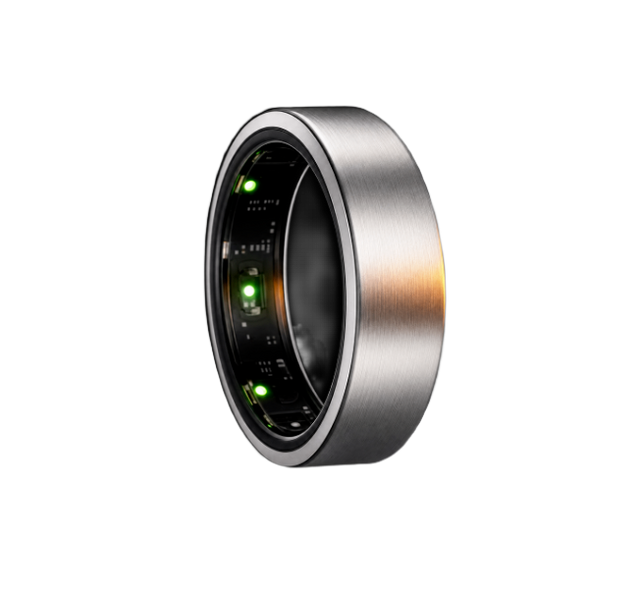
Titanium is a good material for a ring you never take off. It is light, and PulseRing Pro weighs about 4 g. It still needs regular cleaning, mostly for the sake of your skin and the sensors.
Weekly clean
- Take the ring off.
- Wash it in lukewarm water with a drop of mild hand soap or washing-up liquid.
- Use a soft cloth or a very soft toothbrush on the outside and around the edges.
- Wipe the inside gently with a soft cloth, paying attention to the sensor area. Do not scrub or poke at the sensors with anything sharp.
- Rinse well with clean water so no soap is left behind.
- Dry the ring completely with a lint-free cloth.
What to avoid
- Abrasive cleaners, scouring pads and metal polish.
- Bleach, solvents and strong household chemicals. Take the ring off before cleaning the house.
- Ultrasonic jewellery cleaners, unless the manufacturer says they are safe for that ring.
- Sharp tools on the sensor window.
After swimming or the sea
PulseRing Pro is rated 5ATM water resistant (50 metres), so showering, swimming and the sea are fine. Afterwards, rinse the ring in fresh water to remove chlorine or salt. Then dry it and your finger.
Why does my skin get red or itchy under my ring?
Usually because of what gets trapped under the ring, not the ring itself. A Mayo Clinic dermatologist says wedding ring rash is often irritant contact dermatitis from soap residue, sweat and dirt. It builds up under the band and is not usually an allergy to the metal. The advice is to wash, rinse and dry thoroughly under your rings.
Metal allergy does happen, and nickel is the usual culprit. Mayo Clinic lists titanium among the metals to look for if you want to avoid nickel in jewellery.
If your skin gets irritated:
- Take the ring off when you wash your hands, or rinse and dry under it every time.
- Dry your hands fully after washing up, swimming or the gym.
- Switch the ring to the other hand or a different finger for a few days.
- If a rash does not settle, or it blisters or spreads, speak to your GP or a pharmacist.
Will a titanium smart ring scratch?
Yes, eventually. Titanium is strong and light, but daily life still leaves marks. Door handles, keys, gym equipment and the edge of a kitchen counter all scuff the surface. Light scratches on the outside are cosmetic.
Most scratches come from hard, gripping jobs. If you lift weights or do DIY, a silicone cover is the simplest fix. The PulseRing Protector is a slim sleeve that slides over the ring, and tracking carries on through it. Our guide to wearing a smart ring at the gym covers which exercises need it.
Do not try to polish or file out scratches yourself. You are more likely to damage the finish than improve it.
What should you do when the battery starts to fade?
First, rule out the easy fixes. Check that the app is updated, that the ring is syncing properly, and that the charger contacts are clean. Then compare a normal week's battery life with what you saw when the ring was new.
PulseRing Pro comes with a 12-month warranty. If you think your ring has a fault, contact us with your order number and a description of the problem.
When a ring reaches the end of its life, do not put it in the bin. Recycle Your Electricals explains that anything with a plug, battery or cable can be reused or recycled. It warns that hidden batteries crushed in bin lorries and recycling centres can start dangerous fires. Use a local electricals drop-off point or your council's small electricals collection instead.
Frequently asked questions
How long does a smart ring battery last?
Most smart rings last around a week per charge. PulseRing Pro lasts up to 7 days. Oura rates its Ring 5 at 6 days to 9 days, depending on size and use. Real-world battery life depends on sensor readings, exercise, phone syncing and the temperature around you.
How long does it take to charge a smart ring?
PulseRing Pro takes about 90 minutes to charge from flat to full. Charge it when you are awake and at home, such as an evening or weekend morning. That way you keep your overnight sleep data. A charging case lets you top it up on the go when you are travelling.
Should I let my smart ring battery run flat?
No. General guidance for lithium-ion batteries is to avoid full discharges and charge more often. Partial charges put less stress on the battery. A regular top-up before the ring runs low is gentler than waiting for it to die. For long-term storage, around half charge is recommended.
How do I clean my titanium smart ring?
Wash it in lukewarm water with a drop of mild soap, and use a soft cloth on the outside. Gently wipe the inside and sensor area. Rinse well so no soap is left, then dry it completely. Avoid abrasive cleaners, bleach, solvents and sharp tools, and rinse in fresh water after swimming.
Can I charge my smart ring overnight?
You can, but you will lose that night's sleep data, which your readiness score is built on. Charging while you are awake is usually the better choice. Whenever you charge, keep the ring somewhere cool, away from radiators and direct sunlight. Heat is one of the main causes of battery wear.
Sources
- BU-808: How to prolong lithium-based batteries, Battery University
- Batteries: maximising performance, Apple UK
- Oura Ring 5 technical specifications, Oura
- Introducing Galaxy Ring, Samsung UK, accessed October 2026
- Galaxy Ring product page and support replies, Samsung UK
- RingConn Gen 2 Air product page, RingConn, accessed October 2026
- Ultrahuman Ring AIR UK buy page, Ultrahuman, accessed October 2026
- Amazfit Helio Ring UK product page, Amazfit, accessed October 2026
- Mayo Clinic Minute: wedding ring rash, Mayo Clinic News Network, 2019
- Nickel allergy: symptoms and causes, Mayo Clinic
- Recycle Your Electricals
This article is for general information and is not medical advice. PulseRing Pro is a wellness device, not a medical device, and does not diagnose or treat any condition. If you are worried about your health, speak to your GP or a qualified clinician.

Smart ring at the gym: lifting, grip and how to protect it
Which gym exercises are fine with a smart ring on, which call for a protector, when to take it off, and how to use your morning readiness score to plan heavy days.

WHOOP alternatives with no subscription: rings and bands compared
The main WHOOP alternatives without a membership, from a one-off smart ring to screenless bands, compared with WHOOP on cost, comfort, sleep, recovery and training.

Oura Ring subscription cost UK: membership over 1 year to 5 years
Oura Membership, Oura's name for its subscription, costs £5.99 a month or £69.99 a year in the UK. What it pays for, what the ring does without it, and the full cost over one to...