










HRV Status is Garmin's name for a feature on its compatible watches that compares your average overnight heart rate variability over the last seven days with your own normal range, called your baseline. The result is one of four labels: balanced, unbalanced, low or poor. It needs about three weeks of nightly wear before it appears.
Below: what each status means in Garmin's own words, how the baseline and 7-day average work, what unbalanced HRV means, what to do when your status is low or unbalanced, how Body Battery differs from a readiness score, and how other wearables, including a smart ring, use the same idea. HRV Status is a Garmin feature name. Peak Pulse is not affiliated with Garmin, and everything here about Garmin comes from Garmin's own published pages.
Key takeaways
- HRV Status is Garmin's feature. It compares your 7-day average overnight HRV with your personal baseline range.
- Garmin uses four labels: balanced (inside your baseline), unbalanced (above or below it), low (well below it) and poor (below the normal range for your age).
- The baseline takes around three weeks of overnight wear to set up, and it shifts slowly over time.
- Unbalanced does not only mean too low. Garmin notes that HRV well above your baseline can also be a sign your body is working hard to recover.
- Other wearables use the same principle with different names and windows. What matters is your trend against your own normal, not a single night.
What is HRV, and what does HRV mean on a watch?
Heart rate variability (HRV) is the small, constant change in time between one heartbeat and the next. Even at 60 beats per minute, the gaps are not exactly one second each, and that variation is normal and healthy.
Most of it comes from your autonomic nervous system. When the rest and recover side has more influence, HRV is higher. When you are stressed, ill, short of sleep or recovering from hard training, HRV tends to fall. Our guide to what a good HRV is covers the published ranges.
Wearables usually report HRV as RMSSD, the root mean square of successive differences between beats, in milliseconds. A widely cited review of HRV metrics and norms by Shaffer and Ginsberg describes RMSSD as the primary time-domain measure for estimating vagally mediated changes in HRV, the ones linked to rest and recovery. Garmin's own HRV Status page also names RMSSD as the standard statistical measure it describes.
What is HRV on Garmin?
On a Garmin watch, HRV is mainly an overnight reading. According to Garmin, compatible watches calculate HRV continuously while you sleep. When you wake up, you can see your average HRV for the whole sleep period in milliseconds and a chart of how it changed through the night, built from 5-minute windows.
Garmin notes that its optical sensor reads blood flow at the wrist, so strictly it measures pulse rate variability, which it says effectively reflects HRV here.
So HRV on Garmin comes in two layers. The first is last night's average, a single number that moves around from night to night. The second is HRV Status, which compares a 7-day average of those overnight readings with a baseline range built from your own history and gives it a label. Garmin also feeds HRV into other features: its Training Readiness page lists HRV Status as one of the factors behind that morning score, and Body Battery uses heart rate and HRV through the day (more on both below).
What do the HRV Status labels mean?
Garmin publishes four status labels, each with a colour on the watch. The definitions below come from the Forerunner 265 owner's manual and Garmin's HRV Status page.
| Status | Colour on the watch | What Garmin says it means |
|---|---|---|
| Balanced | Green | Your 7-day average HRV is within your baseline range. |
| Unbalanced | Orange | Your 7-day average HRV is above or below your baseline range. |
| Low | Red | Your 7-day average HRV is well below your baseline range. |
| Poor | No colour | Your HRV is averaging well below the normal range for your age. |
| No status | None | There is not yet enough data to calculate a 7-day average. |
Balanced
Garmin says balanced typically indicates your body maintaining homeostasis, a steady internal balance: your recent nights look like your normal nights.
Unbalanced can mean two opposite things, so it has its own section below.
Low
If your 7-day average drops well below your baseline, Garmin moves you from unbalanced to low. It usually means several nights have come in under your normal range, not just one.
Poor
Poor works differently from the other three. It is not about a recent dip. Garmin says that if your baseline itself drops below age-based standards associated with good health, your status is classed as poor and your baseline range is no longer shown. This avoids calling you balanced while you sit below healthy norms. To see how HRV changes with age in published studies, our HRV by age chart sets out the main reference tables.
What does unbalanced HRV mean?
Unbalanced HRV means your 7-day average overnight HRV has moved outside your normal range. Garmin points out it can be either higher or slightly lower than your baseline, so the label alone does not tell you which way you have moved. Open the HRV Status chart and check whether the week sits above or below the shaded baseline band.
If you are below your range, Garmin's Training Readiness page says an unbalanced status may point towards a lack of adequate recovery, excessive workloads, alcohol or your immune system working to fight an illness. A short run of late nights, a hard training block or a cold coming on are the usual suspects.
If you are above your range, higher is not always better. Garmin links HRV that is abnormally high for you with functional overreaching, especially after large amounts of low-intensity training, when the rest and recover system is working overtime.
A review of elite endurance athletes by Plews and colleagues found that both increases and decreases in HRV have been linked with poor adaptation to training in elite athletes, which is why they argue for long-term monitoring of each person's own pattern. One unbalanced week is common. A status that stays unbalanced or slides to low while you feel worse is the signal to change something, and the next section sets out what.
How does the Garmin HRV baseline and 7-day average work?
Garmin describes your baseline as a range of values, giving 33 to 45 milliseconds as an example, that represents a normal degree of variability for you. Key points from Garmin's page:
- You need to wear the watch overnight for around three weeks before HRV Status becomes fully active. The manual says the watch needs three weeks of consistent sleep data.
- Three weeks is the minimum. Where a few months of data are available, Garmin uses them to strengthen the baseline.
- The baseline is not fixed. It moves slowly with your normal overnight values, can sit lower after a long training period, and typically falls with age.
- Your status is judged on the 7-day average, not on last night alone. You can see last night's figure, but one night does not set the label.
Averaging over a week matters because HRV jumps around from night to night. In a case study of two elite triathletes over 77 days, Plews and colleagues found that the 7-day rolling average of RMSSD (log-transformed) fell steadily in the athlete who became non-functionally overreached before a key race, while it stayed stable in the other athlete. It was a study of two people, so it illustrates the idea rather than proving a rule.
What should you do if your HRV Status is low or unbalanced?
A low or unbalanced status is a prompt to look at the past week, not a diagnosis. In its article on understanding HRV Status, Garmin lists possible causes including training too hard, a lack of quality sleep, stress, a change in physical activity, not meeting nutritional needs and alcohol. It suggests looking for patterns between your habits and your status, and small changes such as an extra 30 minutes of sleep, eating better, light exercise and drinking more water.
A sensible order to work through:
- Check the obvious: late nights, drinks, hard training, travel or stress. Our guide to why your HRV drops goes through each cause.
- Look at your resting heart rate. A low HRV with a raised resting heart rate points more strongly to fatigue, illness or ongoing stress.
- Ease off training. Swap the next hard session for an easy one or a rest day.
- Protect your sleep. A regular bedtime and enough time in bed help more than anything else on the list.
- Give it a week. The status runs on a 7-day average, so it lags behind how you feel and recovers gradually.
If you are unbalanced on the high side, check training load and how you feel before assuming it is good news.
When to speak to a doctor
No wearable status can diagnose a heart problem, and a low HRV label on its own is not a medical finding. Symptoms matter more. The NHS guidance on heart palpitations (UK guidance; check your local health service elsewhere) says to see a GP or doctor if palpitations keep coming back, are happening more often, last longer than a few minutes, or if you have a heart condition or a family history of heart problems. It says to call 999 or go to A&E if palpitations do not go away or come with chest pain, shortness of breath, or feeling faint or fainting. Outside the UK, use your local emergency number.
Body Battery vs a readiness score: what is the difference?
Depending on the watch, a Garmin owner can see Body Battery, Training Readiness and HRV Status side by side in the morning. They answer different questions.
| Feature | The question it answers | What Garmin says goes into it |
|---|---|---|
| Body Battery | How much energy do I have right now? | Heart rate, HRV and movement, analysed around the clock. Activity and stress drain it; rest and sleep charge it. |
| Training Readiness | Is today a day to train hard? | Mainly last night's sleep and recovery time from recent activity, plus training load, HRV Status, recent stress and sleep history. |
| HRV Status | How has my body been coping this week? | The 7-day average of overnight HRV against your personal baseline. |
Garmin's Body Battery page describes it as a way to monitor your energy around the clock. You can expect it to be fullest when you wake, and Garmin notes that illness, alcohol and lingering stress can stop it charging fully overnight. It moves all day, which makes it useful for pacing a busy day but noisy as a training signal.
A readiness score is a morning decision. Garmin's version is classed from poor to prime, and Garmin says it is not designed to predict race-day performance. Other brands, including PulseRing Pro, give a morning readiness score too, and ours comes with one sentence: push, maintain or rest. A sensible way to use all three: readiness for today's session, Body Battery for how the day is draining you, and HRV Status for the slower trend underneath both.
How do other wearables track overnight HRV and baselines?
Comparing recent nights with your own normal is not unique to Garmin. Brands use different names, windows and maths, so labels and numbers will not match between devices.
| Device | Feature name | How the brand describes it |
|---|---|---|
| Garmin (compatible watches) | HRV Status | 7-day average overnight HRV compared with a personal baseline range built over about three weeks |
| Oura Ring | HRV Balance (a Readiness contributor) | Recent 14-day weighted average compared with a long-term average over the past two months |
| PulseRing Pro | Readiness score | Overnight HRV and other metrics read against a personal baseline built over roughly two weeks, with one plain sentence each morning: push, maintain or rest |
The Oura description comes from its Readiness Score support article at the time of writing (October 2026). PulseRing Pro does not have a feature called HRV Status. It folds HRV into a single morning readiness score, and our guide to readiness scores explains how scores like this work and how to use them.
Whichever device you wear, compare it only with itself, since sensors, windows and averaging differ, and trust a week of data over one morning.
If you want to know what one specific overnight number means, such as 30, 40 or 60 ms, our page asking is my HRV good walks through each value.
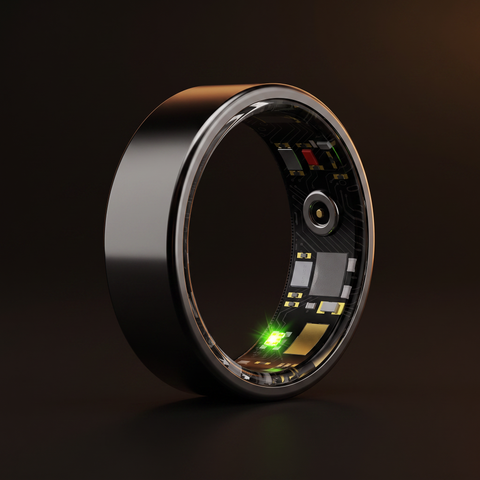
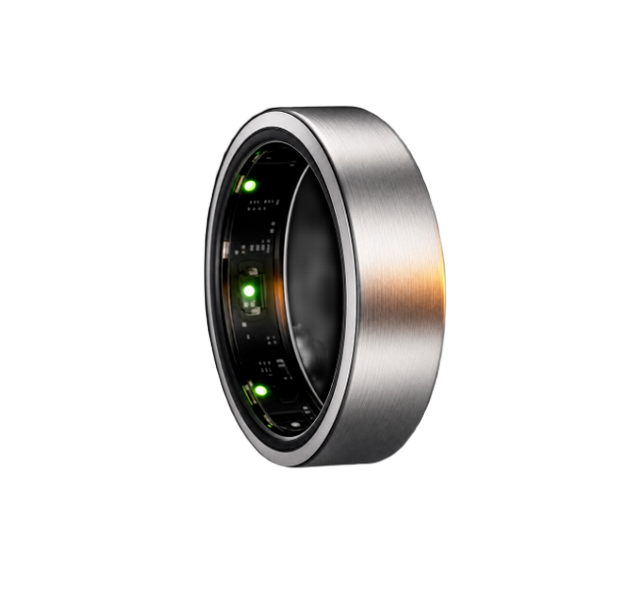
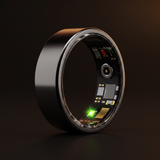
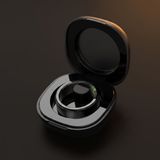
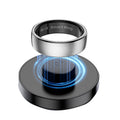
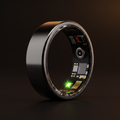
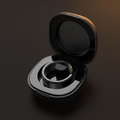
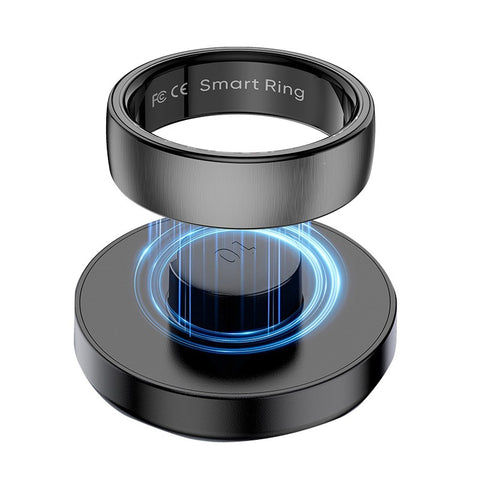
PulseRing Pro reads HRV, resting heart rate, blood oxygen and sleep stages from your finger overnight, where the pulse signal is strong because the finger is well supplied with blood vessels. It builds your personal baseline over roughly two weeks, then gives you one readiness score and one plain sentence each morning: push, maintain or rest. No subscription, and every metric is included for £89.
Frequently asked questions
What does HRV Status mean on Garmin?
HRV Status is Garmin's feature that compares your 7-day average overnight heart rate variability with your personal baseline range. Balanced means you are inside your range, unbalanced means above or below it, low means well below it, and poor means your HRV averages well below the normal range for your age. It needs about three weeks of overnight wear to start.
Is unbalanced HRV Status bad?
Not necessarily. Unbalanced means your 7-day average sits outside your normal range, which can be higher or lower than your baseline. A dip after a hard week, a few drinks or poor sleep is common. Garmin also notes that HRV well above your baseline can be linked with overreaching. Check your training, sleep and how you feel, then watch the trend.
Why does my Garmin say no HRV Status?
Garmin shows no status when there is not enough data to calculate a 7-day average. The watch needs around three weeks of consistent sleep data before HRV Status becomes fully active, so wear it every night. Missed nights or a loose fit can delay it. Your nightly average HRV is still visible while the baseline builds.
How do I improve a low HRV Status?
Garmin suggests looking for patterns between your habits and your status, then trying more sleep, better food, light exercise and more water. In practice, ease off hard training, protect your bedtime, skip alcohol and manage stress. Because the status uses a 7-day average, it recovers gradually, so give changes about a week before judging them.
Do smart rings have HRV Status?
HRV Status is Garmin's own feature name, so other brands use different names. Many smart rings measure HRV overnight and compare it with a personal baseline. Oura folds HRV Balance into its Readiness Score. PulseRing Pro builds a baseline over roughly two weeks and gives one morning readiness score with one sentence: push, maintain or rest.
What is the difference between Body Battery and HRV Status?
Body Battery is Garmin's around-the-clock energy estimate, built from heart rate, HRV and movement, which drains with activity and stress and charges with rest and sleep. HRV Status is slower: it compares your 7-day average overnight HRV with your personal baseline. Use Body Battery to pace the day, and HRV Status to see how your body has been coping over the week.
Sources
- Understanding HRV Status on your Garmin device, Garmin Technology
- Heart Rate Variability Status, Forerunner 265 Series Owner's Manual, Garmin
- Understanding the HRV Status on your Garmin smartwatch, Garmin Blog, 2024
- An overview of heart rate variability metrics and norms, Shaffer and Ginsberg, Frontiers in Public Health, 2017
- Heart rate variability in elite triathletes, is variation in variability the key to effective training? A case comparison, Plews et al., European Journal of Applied Physiology, 2012
- Training adaptation and heart rate variability in elite endurance athletes: opening the door to effective monitoring, Plews et al., Sports Medicine, 2013
- Readiness Score, Oura Help Centre
- Heart palpitations, NHS
- Body Battery energy monitoring, Garmin Technology
- Understanding Garmin Training Readiness, Garmin Technology
This article is for general information and is not medical advice. PulseRing Pro is a wellness device, not a medical device, and does not diagnose or treat any condition. If you are worried about your health, speak to your GP or a qualified clinician.